
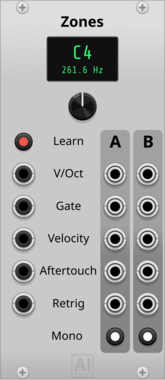
Aluminium Zones
Keyboard split and mono voice allocator for a polyphonic MIDI-CV signal (V/OCT, GATE, VELOCITY, AFTERTOUCH, RETRIGGER): two note-range zones, each polyphonic passthrough or monophonic with note priority (last/highest/lowest note) and true legato gate. Duo mode reproduces the Moog Subsequent 37 / Sub 37 DUO mode: duophonic/paraphonic two-voice allocation, highest note on B, other held note on A, with per-note velocity and poly aftertouch
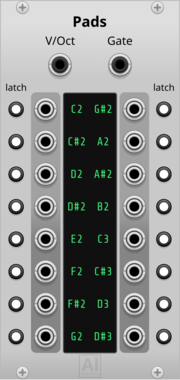
Aluminium Pads
16 gate outputs, one per learned note, driven by a polyphonic V/OCT + GATE cable (e.g. from Core MIDI-CV or Zones) instead of MIDI — learn a cell by clicking it and playing (or typing) the note; each cell can be switched to Latch mode to toggle on/off instead of following the held note


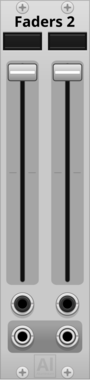
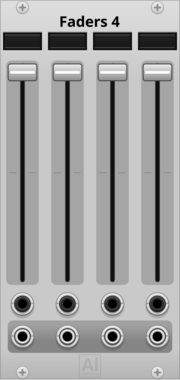

Live-performance modules for MIDI controllers: keyboard splits, expressive pad voices, and labeled faders and buttons driven by MIDI or the mouse alike, so a patch stays playable with or without its controllers plugged in.
2.3.1
Author: Neil Baumberger
License: GPL-3.0-or-later
Last updated:
Created:
Popularity: 1,488
VCV Library Instructions
- Download and install VCV Rack.
- Register for a VCV account and log in using Rack’s “Library” menu.
- Add or purchase a module on the VCV Library.
- Open the “Library” menu in Rack, click “Update all” (if updates are needed), and restart Rack once downloaded.
- Right-click an empty rack space to launch Rack’s module browser to add a module to your patch.
All plugins on the VCV Library are available for Windows, Mac, and Linux.
The “major” version (i.e. MAJOR.MINOR.REVISION) must match between Rack and its plugins.
For example, Rack 2.* can only load 2.* plugins.
Missing or incorrect information in this database, such as a missing tag? Inform the plugin author(s) using the contact information on their plugin/module page.
Developers: see Adding your plugin to the VCV Library.
Notes
Purchasing plugins with the “VCV” brand supports the VCV Rack project. See VCV’s Mission Statement to learn how VCV Rack development is funded.
Prices are in US Dollars.
By purchasing a plugin on the VCV Library, you agree to VCV’s End User License Agreement and Refund Policy.
Contact VCV Support for customer support and questions about the VCV Library.