
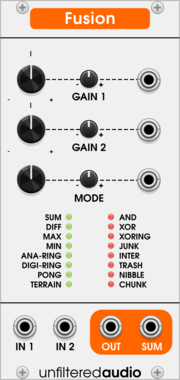
Unfiltered Audio Fusion
Two-input signal smasher and creative mixer
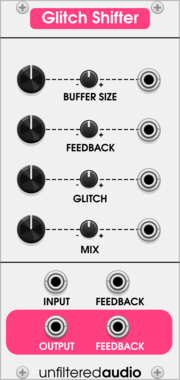
Unfiltered Audio Glitch Shifter
Unpredictable granular delay buffer
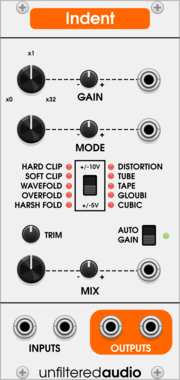
Unfiltered Audio Indent Saturation
Multimode distortion and saturation
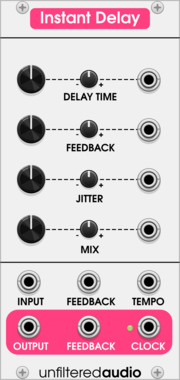
Unfiltered Audio Instant Delay
Smooth granular delay without artifacts
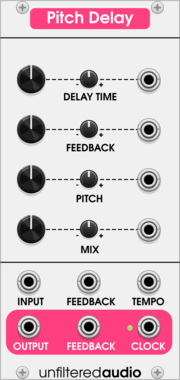
Unfiltered Audio Pitch Delay
Granular pitch-shifting delay
VCV Library Instructions
- Download and install VCV Rack.
- Register for a VCV account and log in using Rack’s “Library” menu.
- Add or purchase a module on the VCV Library.
- Open the “Library” menu in Rack, click “Update all” (if updates are needed), and restart Rack once downloaded.
- Right-click an empty rack space to launch Rack’s module browser to add a module to your patch.
All plugins on the VCV Library are available for Windows, Mac, and Linux.
The “major” version (i.e. MAJOR.MINOR.REVISION) must match between Rack and its plugins.
For example, Rack 2.* can only load 2.* plugins.
Missing or incorrect information in this database, such as a missing tag? Inform the plugin author(s) using the contact information on their plugin/module page.
Developers: see Adding your plugin to the VCV Library.
Notes
Purchasing plugins with the “VCV” brand supports the VCV Rack project. See VCV’s Mission Statement to learn how VCV Rack development is funded.
Prices are in US Dollars.
VCV is only responsible for VCV-branded plugins and does not completely review all third-party plugins. VCV does not provide technical support for third-party plugins. Installing plugins from unknown sources may compromise your computer and personal information.
By purchasing a plugin on the VCV Library, you agree to the End User License Agreement and Refund Policy.
Contact VCV Support for customer support and questions about the VCV Library.