

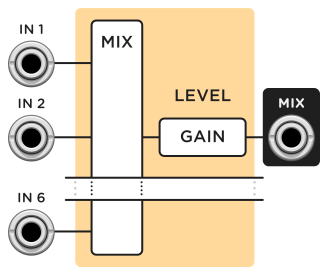
VCV Mix is a simple 6-channel unity-mixer with output level adjustment. It can mix both audio and CV signals.
All patched signals are summed and then attenuated with the LEVEL knob. When LEVEL is at its default position (100%), VCV Mix becomes a unity mixer.
Settings
Right-click the panel and click “Invert output” to multiply the output voltage by -1, as if the LEVEL knob has a range of 0% to -100%. This can be useful for inverting the phase of audio, or reversing the direction of control voltage.
Enable “Average voltages” from the context menu to divide the output voltage by the number of currently patched inputs. This can be useful for scaling the output range to the same range as all patched CV signals. For example, if four 10V signals are patched with one 0V signal, the output voltage is 8V (with 100% LEVEL). With this mode disabled, the output is 40V in this example, which is often too large for modulating modules.