
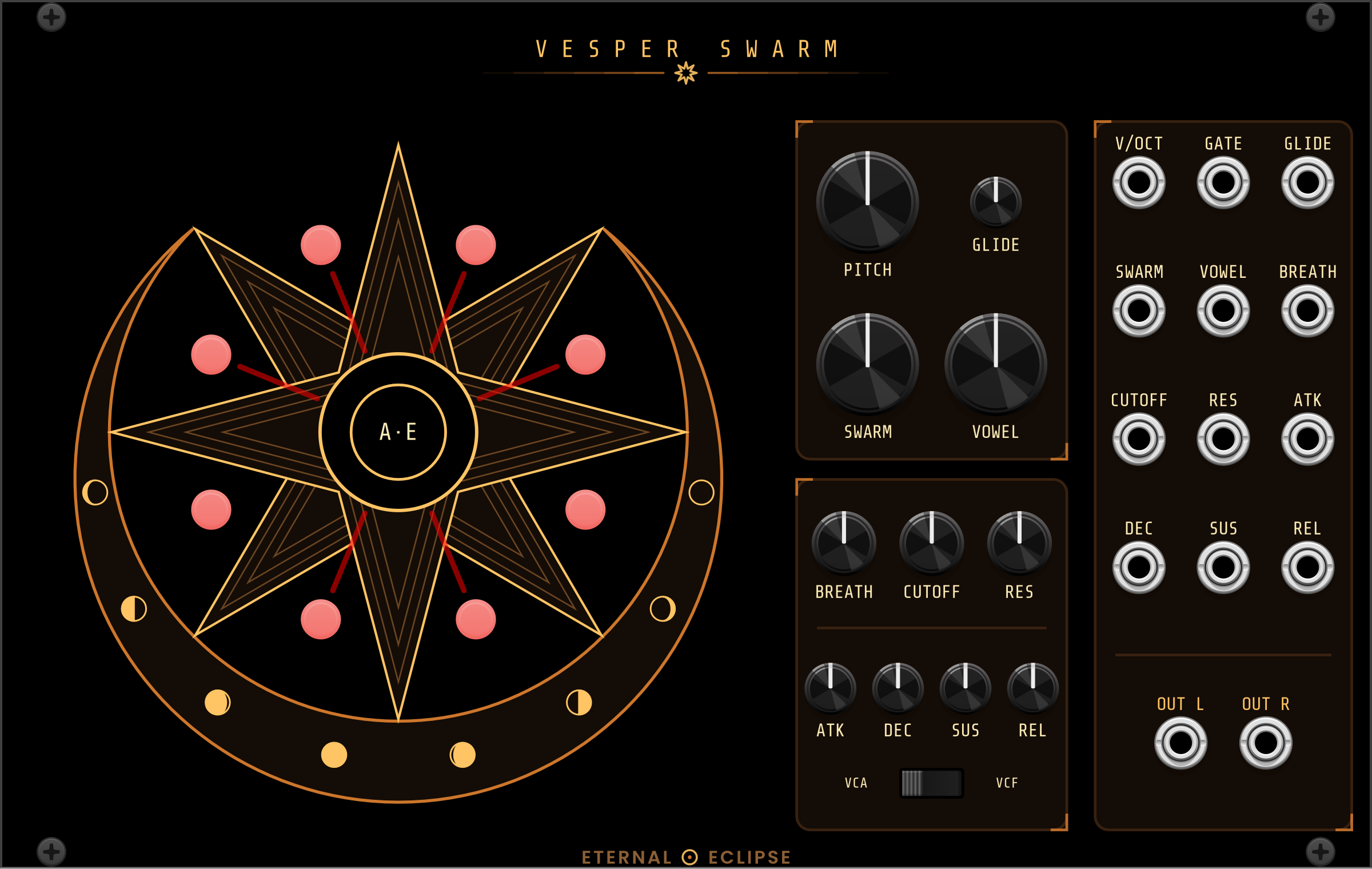
Eight-voice formant choir in the shape of the Swarmatron — one PITCH and one SWARM fan eight soprano singers from a few cents apart into a two-octave cluster or whole-number harmonics, each with her own vocal tract, vibrato and stereo place; VOWEL morphs A E I O U, BREATH adds air, through a 4-pole lowpass and a gate-driven ADSR that drones unpatched. Every knob has a CV jack; the singers stand on the points of an eight-pointed star and a click silences or wakes one.
Synth voice Oscillator Filter Envelope generator
2.11.0
Eternal Eclipse Modular website
Author: Nicholas Bain
License: GPL-3.0-or-later
Last updated:
Created:
Popularity: 5,538
Plugin: Eternal Eclipse Modular
VCV Library Instructions
- Download and install VCV Rack.
- Register for a VCV account and log in using Rack’s “Library” menu.
- Add or purchase a module on the VCV Library.
- Open the “Library” menu in Rack, click “Update all” (if updates are needed), and restart Rack once downloaded.
- Right-click an empty rack space to launch Rack’s module browser to add a module to your patch.
All plugins on the VCV Library are available for Windows, Mac, and Linux.
The “major” version (i.e. MAJOR.MINOR.REVISION) must match between Rack and its plugins.
For example, Rack 2.* can only load 2.* plugins.
Missing or incorrect information in this database, such as a missing tag? Inform the plugin author(s) using the contact information on their plugin/module page.
Developers: see Adding your plugin to the VCV Library.
Notes
Purchasing plugins with the “VCV” brand supports the VCV Rack project. See VCV’s Mission Statement to learn how VCV Rack development is funded.
Prices are in US Dollars.
By purchasing a plugin on the VCV Library, you agree to VCV’s End User License Agreement and Refund Policy.
Contact VCV Support for customer support and questions about the VCV Library.