
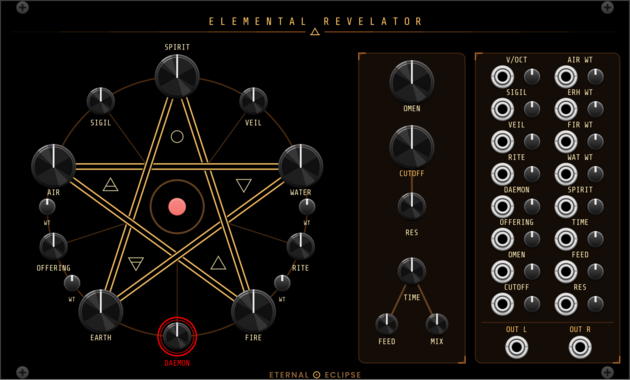
Eternal Eclipse Elemental Revelator
Four-element wavetable synth voice — a pentagram of AIR, WATER, EARTH, and FIRE oscillators with elemental-ring cross-modulation, opposing-pair ring mod, SPIRIT chord mode, 72 daemon algorithms, ladder lowpass filter, and stereo delay/diffusion.
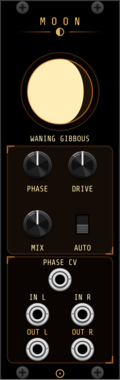
Eternal Eclipse Moon Phase Distortion
Stereo distortion whose depth and character follow the real phase of the moon, with manual override and CV.
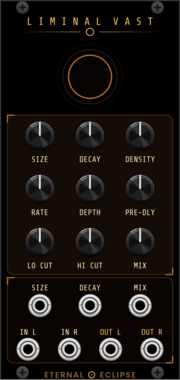
Eternal Eclipse Liminal Vast Reverb
Lush stereo reverb with a modulated, diffused feedback delay network — from intimate rooms to the endless liminal vast, with infinite decay and freeze.
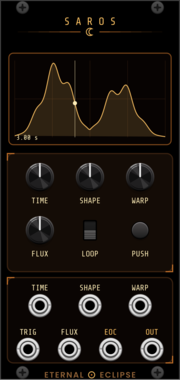
Eternal Eclipse Saros
Envelope and modulation generator — morphing shape bank, mouse-drawable screen with playhead, time warp and flux, 5 ms to 30 minutes.
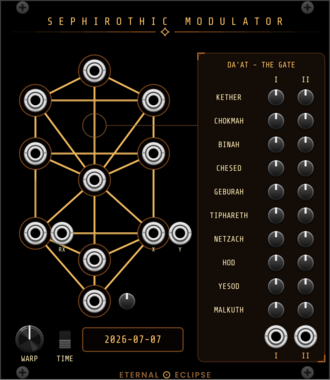
Eternal Eclipse Sephirothic Modulator
Tree of Life planetary CV matrix — ten sephirah outputs computed from real Keplerian orbital positions (Venus pentagram X/Y, Mercury retrograde triggers, lunar phase, planetary clocks), time warp up to x100,000,000, and a Da'at matrix mixer.
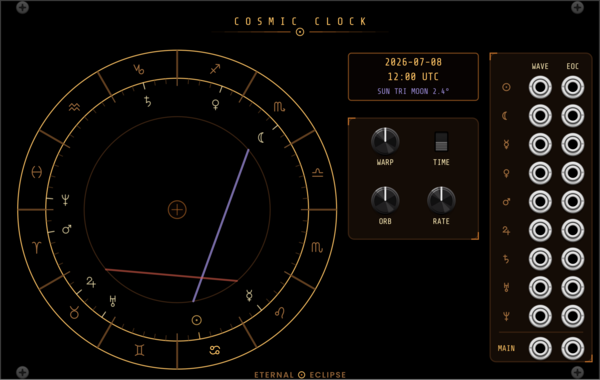
Eternal Eclipse Cosmic Clock
Astrological waveform engine — nine planetary LFO voices shaped by the zodiac signs they transit and mixed by live aspects, with a chart-of-the-moment wheel, end-of-cycle triggers, and time warp up to x100,000,000.
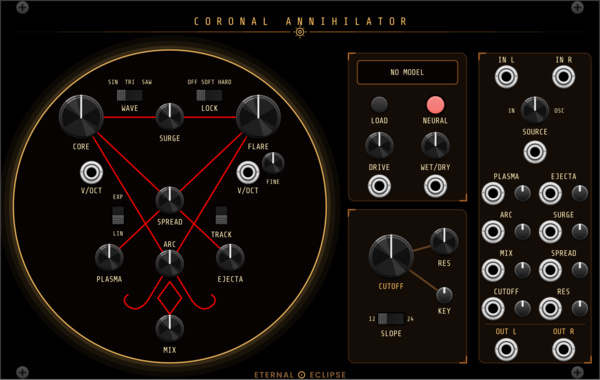
Eternal Eclipse Coronal Annihilator
Stereo voice: a complex dual oscillator (CORE drives FLARE with FM, sync, wavefolding and phase warp) blended with an external stereo input, through an onboard neural amp model (.nam, one network per channel) and a saturating 4-pole lowpass with 12/24 dB slopes.
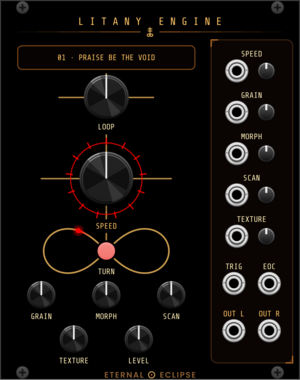
Eternal Eclipse Litany Engine
Looping sample player with an onboard litany of loops and a focused granular engine — or load your own sample folder: through-zero varispeed, grain size from whole-loop down to 15 ms, morphing overlap, scan and texture spray; stereo companion to the Coronal Annihilator's external input.
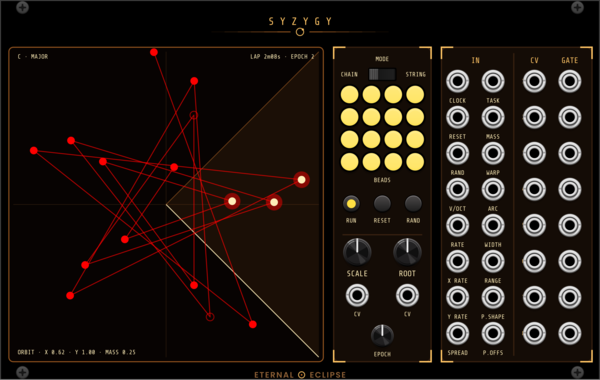
Eternal Eclipse Syzygy
Orbital note generator — sixteen beads joined by a line drift around a field at speeds in powers of the golden ratio from a golden-angle sunflower, through five task figures (orbit, Lissajous, rose, star, sweep), with mass physics, wall bounce and mouse throw, an angular trigger arc, a fourteen-scale quantizer, and eight CV/gate pairs allocated Ansible-style; every parameter is a bare ±5 V input read once per EPOCH lap, made for Cosmic Clock.
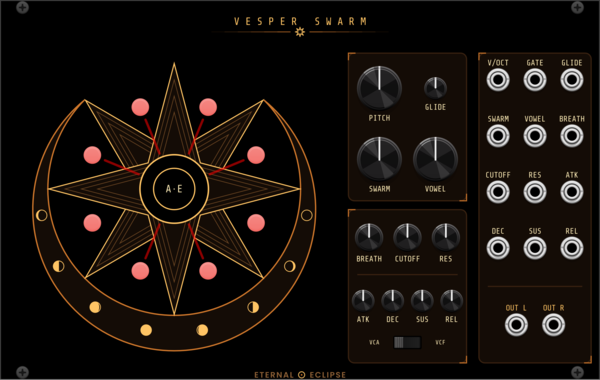
Eternal Eclipse Vesper Swarm
Eight-voice formant choir in the shape of the Swarmatron — one PITCH and one SWARM fan eight soprano singers from a few cents apart into a two-octave cluster or whole-number harmonics, each with her own vocal tract, vibrato and stereo place; VOWEL morphs A E I O U, BREATH adds air, through a 4-pole lowpass and a gate-driven ADSR that drones unpatched. Every knob has a CV jack; the singers stand on the points of an eight-pointed star and a click silences or wakes one.
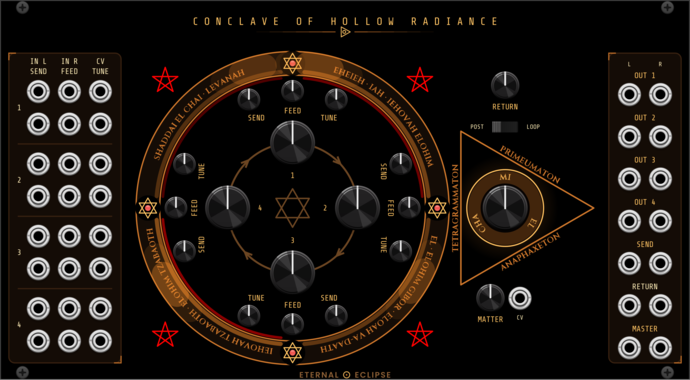
Eternal Eclipse Conclave of Hollow Radiance
Four-channel stereo VCA mixer that is a normal mixer at rest and a feedback instrument when pushed: Veils' chain forward (an unpatched OUT passes the channel down), a bipolar FEED per channel backward around the ring through a tunable comb, a stereo send with its return inside or outside the circle, MATTER to darken the feedback, and a lookahead limiter before the outputs.
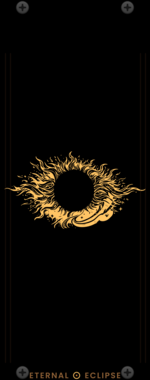
Eternal Eclipse Eternal Eclipse
Resizable blank panel bearing the Eternal Eclipse corona. Drag either edge to set the width from 3 HP upward; the corona scales to fit.
2.11.0
Eternal Eclipse Modular website
Author: Nicholas Bain
License: GPL-3.0-or-later
Last updated:
Created:
Popularity: 5,541
VCV Library Instructions
- Download and install VCV Rack.
- Register for a VCV account and log in using Rack’s “Library” menu.
- Add or purchase a module on the VCV Library.
- Open the “Library” menu in Rack, click “Update all” (if updates are needed), and restart Rack once downloaded.
- Right-click an empty rack space to launch Rack’s module browser to add a module to your patch.
All plugins on the VCV Library are available for Windows, Mac, and Linux.
The “major” version (i.e. MAJOR.MINOR.REVISION) must match between Rack and its plugins.
For example, Rack 2.* can only load 2.* plugins.
Missing or incorrect information in this database, such as a missing tag? Inform the plugin author(s) using the contact information on their plugin/module page.
Developers: see Adding your plugin to the VCV Library.
Notes
Purchasing plugins with the “VCV” brand supports the VCV Rack project. See VCV’s Mission Statement to learn how VCV Rack development is funded.
Prices are in US Dollars.
By purchasing a plugin on the VCV Library, you agree to VCV’s End User License Agreement and Refund Policy.
Contact VCV Support for customer support and questions about the VCV Library.