
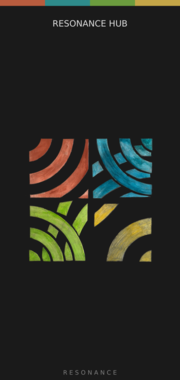
factionoptions Resonance Hub
Connect your patch to other VCV Rack users over the internet for real-time collaboration. Handles authentication, room joining, and peer-to-peer WebRTC connections. Pair with CV Peer expanders to send and receive CV/MIDI with collaborators anywhere in the world. When a remote peer joins, the Hub adds a CV Peer expander to the right automatically, so you don't have to add one per collaborator by hand. On first use, your OS may prompt to allow Rack through the firewall.
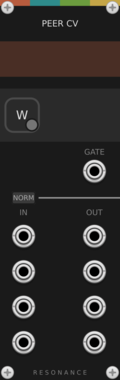
factionoptions CV Peer
Bidirectional CV link to one remote collaborator over the internet. Place to the right of a Resonance Hub - or let the Hub add one automatically each time a peer connects. 4 inputs send your CV outward, 4 outputs receive theirs, and the gate output goes high while the peer is connected.
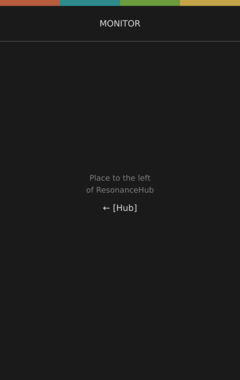
factionoptions Resonance Monitor
Diagnostic display for a Resonance Hub. Place to the left of a Hub to see live connection state, connected peers, latency, signaling status, and CV/MIDI data flow rates. Useful for troubleshooting collaboration sessions.

factionoptions Net CV
Turn live network conditions into modulation sources. Outputs CV scaled to round-trip latency, packet loss, jitter, and connected peer count - patch into mixers or effects to react when the link gets unstable. Place next to a Resonance Hub.

factionoptions CV Mix
Mix bus that sums and averages incoming CV from every connected remote peer into 4 unified channels. Useful for group jams where multiple collaborators contribute to the same patch without needing one CV Peer per source. Place anywhere to the right of a Resonance Hub.
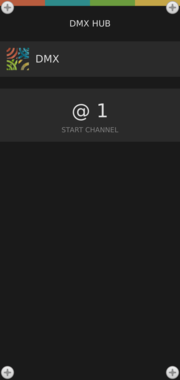
factionoptions DMX Hub
Drive stage lighting from VCV Rack over Ethernet using sACN (E1.31) or Art-Net. Transmits one DMX universe (512 channels) to lighting consoles, LED fixtures, moving heads, or pixel controllers on your local network. Pairs well with Open Lighting Architecture (OLA) for bridging to USB DMX interfaces. Add DMX Fixture expanders to the right to patch CV inputs onto specific channels. On first use, your OS may prompt to allow Rack to find devices on your local network.
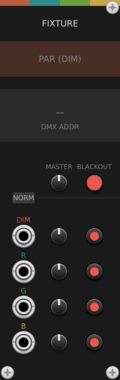
factionoptions DMX Fixture
4-channel CV-to-DMX patch bay for a DMX Hub - typically used for one RGBA or RGBW lighting fixture like a PAR can, LED panel, or moving head. CV inputs drive consecutive DMX channels with per-channel level and mute. Chain multiple fixtures to the right of the Hub to address larger lighting rigs.
VCV Rack modules for Resonance - a peer-to-peer WebRTC network for sharing CV and MIDI with remote musicians in real time, plus sACN/E1.31 DMX lighting control. Part of the QUADRAs FRONTERAs art project.
2.0.17
Author: Jason Soares
License: Freeware
Last updated:
Created:
Popularity: 1,966
VCV Library Instructions
- Download and install VCV Rack.
- Register for a VCV account and log in using Rack’s “Library” menu.
- Add or purchase a module on the VCV Library.
- Open the “Library” menu in Rack, click “Update all” (if updates are needed), and restart Rack once downloaded.
- Right-click an empty rack space to launch Rack’s module browser to add a module to your patch.
All plugins on the VCV Library are available for Windows, Mac, and Linux.
The “major” version (i.e. MAJOR.MINOR.REVISION) must match between Rack and its plugins.
For example, Rack 2.* can only load 2.* plugins.
Missing or incorrect information in this database, such as a missing tag? Inform the plugin author(s) using the contact information on their plugin/module page.
Developers: see Adding your plugin to the VCV Library.
Notes
Purchasing plugins with the “VCV” brand supports the VCV Rack project. See VCV’s Mission Statement to learn how VCV Rack development is funded.
Prices are in US Dollars.
By purchasing a plugin on the VCV Library, you agree to VCV’s End User License Agreement and Refund Policy.
Contact VCV Support for customer support and questions about the VCV Library.