

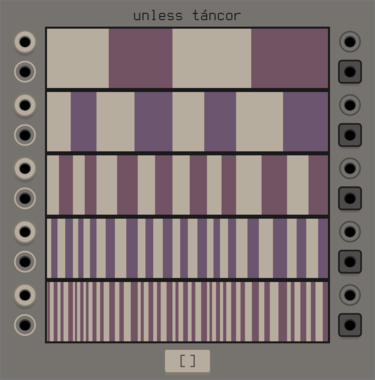
unless games tancor
swinging gate machine based around a parametric binary tree, inspired by the cantor set
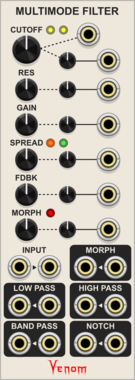
Venom Multimode Filter
Stereo state variable filter for audio and low frequency use with some extra goodies
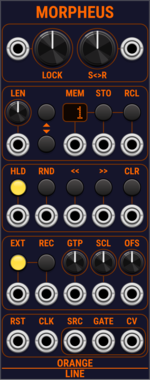
OrangeLine Morpheus
Morphing of given or random sequences with turing machine functionality and 16 Internal Memory Slots.

AmbushedCat TuringMaschineRythm
A probabilistic CV sequencer inspired by the original Music Thing Turing Machine. Generates semi-random looping sequences with adjustable probability and loop length.
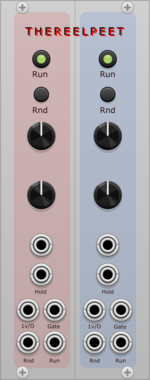
Pete Buchhop TheReelPeet
Dual generative sequencer with per-lane BPM, step length, randomized pitch and trigger outputs, trigger-based randomization, voltage-controlled run state, and hold freeze.

AmbushedCat TuringGates
An expander for the TuringMaschine module that outputs rhythmic gate patterns derived from the current sequence state. Useful for triggering drums, envelopes, or other events.
VCV Library Instructions
- Download and install VCV Rack.
- Register for a VCV account and log in using Rack’s “Library” menu.
- Add or purchase a module on the VCV Library.
- Open the “Library” menu in Rack, click “Update all” (if updates are needed), and restart Rack once downloaded.
- Right-click an empty rack space to launch Rack’s module browser to add a module to your patch.
All plugins on the VCV Library are available for Windows, Mac, and Linux.
The “major” version (i.e. MAJOR.MINOR.REVISION) must match between Rack and its plugins.
For example, Rack 2.* can only load 2.* plugins.
Missing or incorrect information in this database, such as a missing tag? Inform the plugin author(s) using the contact information on their plugin/module page.
Developers: see Adding your plugin to the VCV Library.
Notes
Purchasing plugins with the “VCV” brand supports the VCV Rack project. See VCV’s Mission Statement to learn how VCV Rack development is funded.
Prices are in US Dollars.
By purchasing a plugin on the VCV Library, you agree to VCV’s End User License Agreement and Refund Policy.
Contact VCV Support for customer support and questions about the VCV Library.