

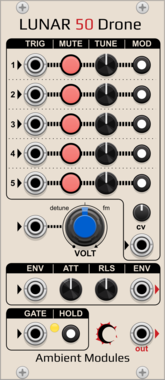
AmbientModules Lunar50Drone
5-oscillator sawtooth drone voice with per-oscillator tuning, activation, trigger input and switchable frequency CV routing, a CV attenuverter, a shared Attack/Release envelope (gate, Hold, chainable Envelope In/Out), and a CV-controlled detune/FM knob

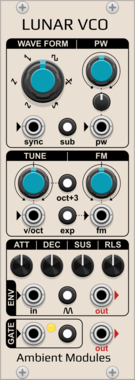
AmbientModules LunarVCO
AS3340-style VCO with 6 waveforms (3 fixed + 3 shaped: PWM square, saw-to-inv.saw and sine-to-saw morphs), octave/sub/lin-exp switches, hard sync, and a full ADSR envelope with Hold and Self-generation
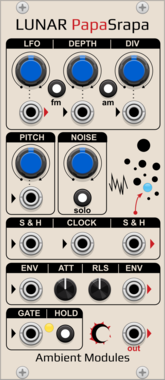
AmbientModules LunarPapaSrapa
"Papa Srapa"-inspired noise/drone voice: FM/AM square oscillator driven by an internal modulator with a dedicated LFO output, independent white noise with sample & hold, and a shared Attack/Release envelope with Hold and chainable Envelope In/Out
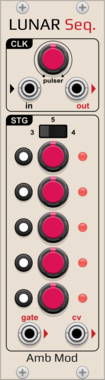
AmbientModules LunarSequencer
3-to-5-stage Buchla-inspired sequential voltage source with per-step CV and independent gate on/off, internal pulser or external clock with a Clock Out, and a switchable CV output range
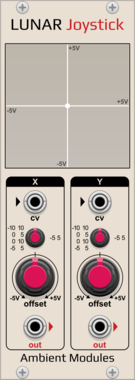
AmbientModules LunarJoystick
Dual manual/CV position source (X/Y) with offset knobs and a switchable input range per axis, for use with an external MIDI CC-to-CV controller or as a manual fixed-voltage source
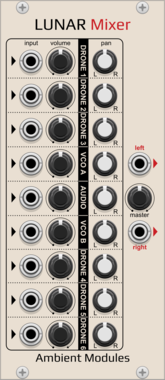
AmbientModules LunarMixer
9-channel panoramic mixer with per-channel level and pan summed to a stereo output
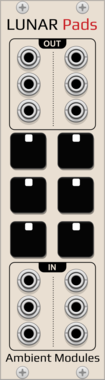
AmbientModules LunarPads
6-pad gate source for the drone voices (4 Lunar50Drone, 2 LunarPapaSrapa), momentary or latching, each pad's external gate input lets an external MIDI gate source trigger it alongside the mouse

AmbientModules LunarDetector
External-source preamp with an Attack/Release envelope follower and a hysteresis gate detector
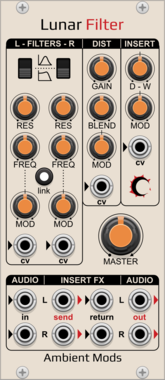
AmbientModules LunarFilter
Dual 12dB Polivoks-style multimode (Low-pass/Band-pass) filter with independent per-side CV, Link, a shared distortion stage with CV, and a stereo FX-insert loop (Send/Return, Blend, Master)
A small collection of Rack modules inspired by Elta Music's SOLAR 42F ambient drone synthesizer.
2.4.1
Author: Neil Baumberger
License: GPL-3.0-or-later
Last updated:
Created:
Popularity: 5,041
VCV Library Instructions
- Download and install VCV Rack.
- Register for a VCV account and log in using Rack’s “Library” menu.
- Add or purchase a module on the VCV Library.
- Open the “Library” menu in Rack, click “Update all” (if updates are needed), and restart Rack once downloaded.
- Right-click an empty rack space to launch Rack’s module browser to add a module to your patch.
All plugins on the VCV Library are available for Windows, Mac, and Linux.
The “major” version (i.e. MAJOR.MINOR.REVISION) must match between Rack and its plugins.
For example, Rack 2.* can only load 2.* plugins.
Missing or incorrect information in this database, such as a missing tag? Inform the plugin author(s) using the contact information on their plugin/module page.
Developers: see Adding your plugin to the VCV Library.
Notes
Purchasing plugins with the “VCV” brand supports the VCV Rack project. See VCV’s Mission Statement to learn how VCV Rack development is funded.
Prices are in US Dollars.
By purchasing a plugin on the VCV Library, you agree to VCV’s End User License Agreement and Refund Policy.
Contact VCV Support for customer support and questions about the VCV Library.