





LindenbergResearch Neo Filter

LindenbergResearch Neo Filter

LindenbergResearch $20

New Filter-Model based on the Design of the Classic Ladder-Filter

FilterPolyphonic

Bidoo bAFIs

Bidoo bAFIs

Multiband distortion

EffectFilterDistortion

nozoïd Nozori_68_VCF_MORPH

nozoïd Nozori_68_VCF_MORPH

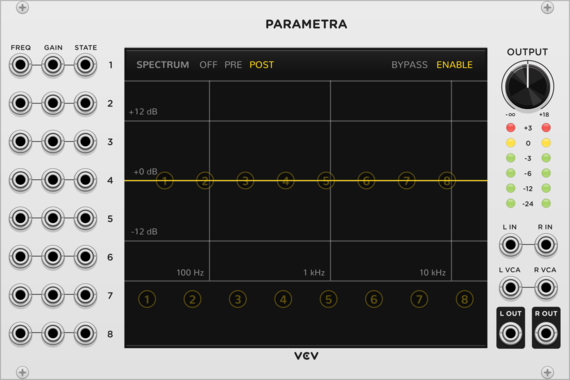
Parametric stereo filter.

Hardware cloneDualFilter

Vult Boomstick

Vult Boomstick

Sallen-Key filter

FilterPolyphonic

dBiz QuePasa

dBiz QuePasa

Filter

Sonus Dept. Filtron

Sonus Dept. Filtron

Double Butterworth Filter

FilterPolyphonic

Prism Rainbow

Prism Rainbow

A multiband band-pass resonant filter, a port of the 4ms SMR

Physical modelingFilterHardware clone

Autinn Bass

Autinn Bass

Bass and Acid synth

FilterPhysical modeling

Autinn Flora

Autinn Flora

A 24dB low-pass filter emulating a 4-pole transistor ladder

FilterPhysical modelingDual

Bidoo lIMbO

Bidoo lIMbO

4th order stereo LP ladder filter. Gain boosts the signal to compensate for global signal energy lose at high resonance. When non linear is selected gain is applied to each stage

FilterEffect

Bidoo pErCO

Bidoo pErCO

3 bands filter

FilterEffect

LindenbergResearch Sally Type35/MS10 VCF

LindenbergResearch Sally Type35/MS10 VCF

LindenbergResearch $20

Sallen-Key Dual Filter: Lowpass: 12dB/oct Highpass: 6dB/oct

Filter

LindenbergResearch Alma 24dB/oct Ladder-Filter

LindenbergResearch Alma 24dB/oct Ladder-Filter

LindenbergResearch $20

Classic 24dB/oct Ladder-Filter with Saturation

Filter

LindenbergResearch Valerie MS20 Filter

LindenbergResearch Valerie MS20 Filter

LindenbergResearch $20

Valerie MS20 Style 12dB/oct Sallen-Key Lowpass-Filter

Filter

cf Cuts

cf Cuts

dirty HP & LP filters

Filter

AS VC Filter

AS VC Filter

AS Drums n Filters $20

Voltage Controlled Filter

Filter

AS VC Filter Stereo

AS VC Filter Stereo

AS Drums n Filters $20

Voltage Controlled Stereo Filter

Filter

AS Fixed Filter Bank

AS Fixed Filter Bank

AS Drums n Filters $20

12 bands Fixed Filter Bank + LP + HP Filter

Filter

Autodafe Fixed Filter

Autodafe Fixed Filter

A Fixed Filter Bank

Filter

Autodafe MultiMode Filter

Autodafe MultiMode Filter

MultiMode Filter with LP, HP, BP and Notch Filter modes

Filter

Autodafe Formant Filter

Autodafe Formant Filter

A nice-sounding Formant Filter

Filter

Blamsoft XFX F-35

Blamsoft XFX F-35

Multimode Filter

EffectFilterPolyphonic

Valley Feline

Valley Feline

A stereo, state variable, virtual analogue filter.

Filter

NYSTHI Dica33 303 filter

NYSTHI Dica33 303 filter

Distorted Acid filter 303 wannabe

Filter

NYSTHI Quad DC Block

NYSTHI Quad DC Block

High pass filter, selectable, to avoid Direct currents

FilterQuad

NYSTHI DOPPLAB Doppler simulator

NYSTHI DOPPLAB Doppler simulator

Doppler simulator

Filter

NYSTHI STKPitchShifter

NYSTHI STKPitchShifter

pitch shifter from STK library

EffectFilter

NYSTHI µSLEW

NYSTHI µSLEW

Dual slew with shaper

DualSlew limiterEnvelope followerFilter

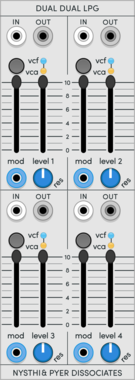
NYSTHI 208 LPG

NYSTHI 208 LPG

Imitation of the Buchla 208 dual LPG from the Buchla Easel

DualVoltage-controlled amplifierFilterLow-pass gate

Geodesics Torus

Geodesics Torus

Bi-dimensional multimixer

MixerFilterEqualizerMultipleUtilityAttenuator

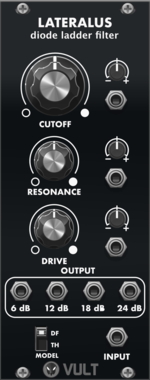
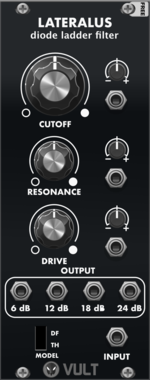
Vult Lateralus

Vult Lateralus

Diode Ladder Filter

FilterPolyphonic

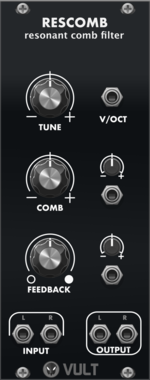
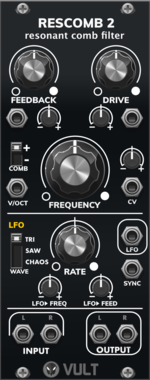
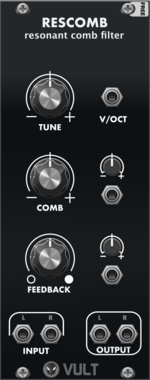
Vult Rescomb

Vult Rescomb

Resonant Comb Filter

FilterEffectPolyphonic

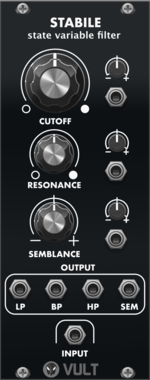
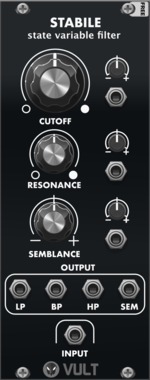
Vult Stabile

Vult Stabile

State Variable Filter

FilterPolyphonic

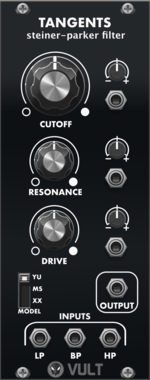
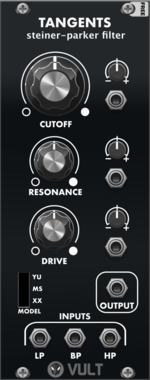
Vult Tangents

Vult Tangents

Steiner-Parker Filter

FilterPolyphonic

Vult Tohe

Vult Tohe

Tone Control

FilterEqualizerPolyphonic

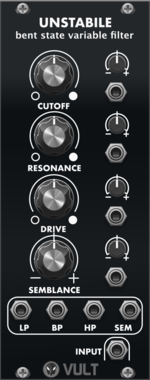
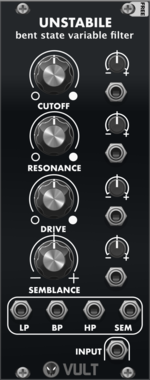
Vult Unstabile

Vult Unstabile

Bent State Variable Filter

FilterPolyphonic


VCV Library Instructions

  • Download and install VCV Rack.
  • Register for a VCV account and log in using Rack’s “Library” menu.
  • Add or purchase a module on the VCV Library.
  • Open the “Library” menu in Rack, click “Update all” (if updates are needed), and restart Rack once downloaded.
  • Right-click an empty rack space to launch Rack’s module browser to add a module to your patch.

All plugins on the VCV Library are available for Windows, Mac, and Linux. The “major” version (i.e. MAJOR.MINOR.REVISION) must match between Rack and its plugins. For example, Rack 2.* can only load 2.* plugins.

Missing or incorrect information in this database, such as a missing tag? Inform the plugin author(s) using the contact information on their plugin/module page.

Developers: see Adding your plugin to the VCV Library.

Notes

Purchasing plugins with the “VCV” brand supports the VCV Rack project. See VCV’s Mission Statement to learn how VCV Rack development is funded.

Prices are in US Dollars.

By purchasing a plugin on the VCV Library, you agree to VCV’s End User License Agreement and Refund Policy.

Contact VCV Support for customer support and questions about the VCV Library.