
Sanguine Monsters Dungeon
Sample and hold, track and hold, hold and track and white noise source with light up faceplate
Sanguine Monsters Fortuna
Pair of polyphonic Bernoulli-like random signal routers with integrated crossfader
Sanguine Monsters Gegenees
1 to 8 switch/sequencer that can avoid consecutive random repeated values; can be one shot, and can be reset to either no step value or the first step
Sanguine Monsters Hydra
8 to 1 switch/sequencer that can avoid consecutive random repeated values; can be one shot, and can be reset to either no step value or the first step
Sanguine Mutants Marmora
Random sampler based on Mutable Instruments' Marbles
Clock generatorClock modulatorDigitalHardware cloneQuantizerRandomSequencer
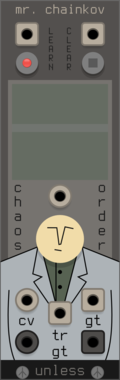
SignalFunctionSet Gravity
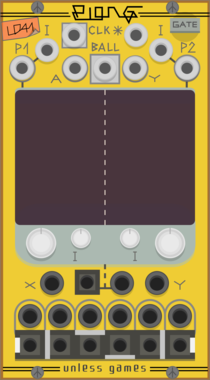
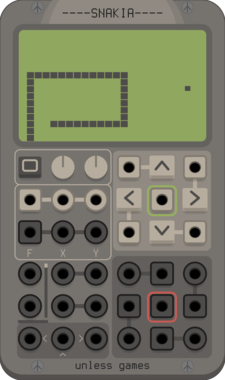
Gravity-driven chaos engine with six modes — double pendulum, orbiting gravity well (a spring-bound rocket perturbed by planets), elastic billiards, a Pac-Man-style maze (Hungry Man), a LOGO Turtle that draws random generative artwork, and a Pattern generator that traces spirograph/Maurer-rose figures — all sharing bipolar X/Y position, radius and angle CVs, six morph-crossfaded sector distance CVs, and six boundary-ray gates. Speed, chaos, and a mode-dependent gravity control; drag on the display to throw/aim.
SignalFunctionSet Muse
Faithful Triadex Muse sequencer port. 4 Theme + 4 Interval sliders each select one of 40 taps (counters + 31-bit XNOR-feedback shift register); Theme bits drive the SR feedback, Interval bits address a diatonic scale. External clock, V/oct + gate out, randomize button/CV, selectable scale.
SignalFunctionSet Shift
4-output CV shift register. Per-lane step count, clock divider, step CV, and parallel/cascade mode (parallel = N-step delay line; cascade = tape-loop FIFO fed by the previous lane). Per-lane CV + gate outs, plus a jumble pair (random pick across lanes + accompanying clock).
SignalFunctionSet Vac
Semi-stable A/R envelope with vactrol-like drift. Rise and fall each have a bipolar STAB control: each trigger samples a fresh random factor scaled exponentially by STAB, so cycle-to-cycle timing wanders without ever collapsing. Linear↔exponential CURVE (with CV), latching LOOP, END trigger out.
Stochastic Telegraph Drifter
Varying linear function generator. Makes sequences that change in small (or large) ways. A line defined by X/Y points, each doing a random walk.
Studio Six Plus One Bose
Multi output random voltage generator, sample and hold with no input, steady or analog style drooping outputs
Sulamith Button - Trigger/CV Utility
Multi-tool with probability, scaled random cv gen, a<>b switch, constant voltage, 0.2s-10s gate & trig out + text label. Slew&retrig menu options.
Sulamith Sample & Hold
S&H with min, max, channels and probability. #2s settings apply to #3. Probability applies seperately to each poly channel
Pete Buchhop TheReelPeet
Dual generative sequencer with per-lane BPM, step length, randomized pitch and trigger outputs, trigger-based randomization, voltage-controlled run state, and hold freeze.
Tiny Tricks Modulation Generator x1
Get a random value (S&H on internal noise) or LFO with random state (rate, waveform, scale, phase) generated on a trigger. Settings for variance and bias of random, whether to include S&H values and unipolar or bipolar.
Tiny Tricks Sample and hold x16
Get 16 random values on trigger (sample and hold). Internal noise only.
Tyche Omen
Controls the seed of the other Tyche modules
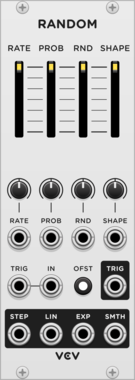
RandomSample and holdNoiseLow-frequency oscillatorFunction generatorClock modulatorLogicMixerSlew limiter
VCV Library Instructions
- Download and install VCV Rack.
- Register for a VCV account and log in using Rack’s “Library” menu.
- Add or purchase a module on the VCV Library.
- Open the “Library” menu in Rack, click “Update all” (if updates are needed), and restart Rack once downloaded.
- Right-click an empty rack space to launch Rack’s module browser to add a module to your patch.
All plugins on the VCV Library are available for Windows, Mac, and Linux.
The “major” version (i.e. MAJOR.MINOR.REVISION) must match between Rack and its plugins.
For example, Rack 2.* can only load 2.* plugins.
Missing or incorrect information in this database, such as a missing tag? Inform the plugin author(s) using the contact information on their plugin/module page.
Developers: see Adding your plugin to the VCV Library.
Notes
Purchasing plugins with the “VCV” brand supports the VCV Rack project. See VCV’s Mission Statement to learn how VCV Rack development is funded.
Prices are in US Dollars.
By purchasing a plugin on the VCV Library, you agree to VCV’s End User License Agreement and Refund Policy.
Contact VCV Support for customer support and questions about the VCV Library.