


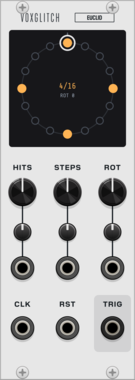
Voxglitch Euclid
Euclidean rhythm sequencer: hits spread as evenly as possible over up to 32 steps, rotated, stepped by an external clock with reset, with a trigger output. Three CV inputs with attenuverters for hits, steps and rotation, and a ring display that shows the live pattern and rotates it when dragged.



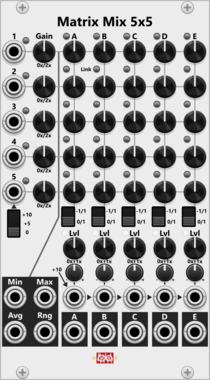
Infinite-Noise Matrix Mix 5x5
14HP mono 5x5 matrix mixer: per-row invert/gain, linked column sends, per-column unity or averaging mix, range 0–1x or ±1x, level CV/trim, Min/Max/Avg/Rng.
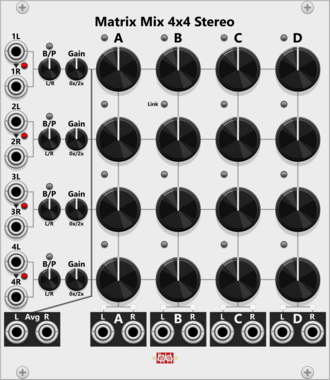
Infinite-Noise Matrix Mix 4x4 Stereo
22HP stereo 4x4 matrix mixer: per-row L/R norm, balance/pan, gain, linked unipolar sends, per-column unity or averaging mix, L/R level lights, and Avg outputs.

Infinite-Noise Stereo Balance/Pan
2HP stereo balance/pan with post gain 0–200%, CV/trim, and L/R level lights. Polyphonic audio; Right input normalizes from Left.

Infinite-Noise Chaos
2HP adds random chaos to an input (or outputs chaos). Range, distribution, slew, Rate Chaos.

Infinite-Noise Slew 2
4HP dual polyphonic constant rate/time slew with knobs and (polyphonic) CV/trim for rise and fall time and shape, Snap (gate/trigger), B-Catch (gate) output, shared Scale/Offset of the input, and envelope follower. Via context-menu the (center) linear shape, can be replaced by an S-Curve shape.

Infinite-Noise Slew 4
2HP quad polyphoinc constant rate/time slew with knobs based rise/fall times/shape settings. Via context-menu the (center) linear shape, can be replaced by an S-Curve shape.
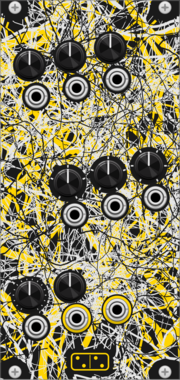
forsitan modulare radix
Chaotic 8-bit source on its own clock: 150 programs picked by three stepped knobs with CV.
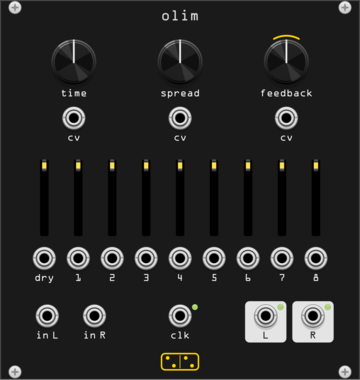
forsitan modulare olim
Eight-head stereo delay over 150 s of memory, a Time Machine clone with its VCA expander built in.
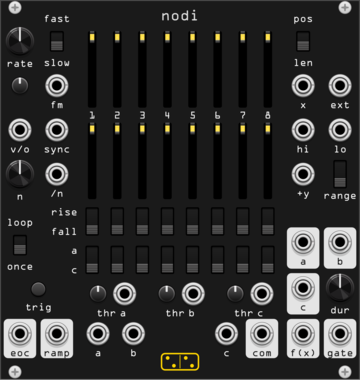
forsitan modulare nodi
Continuous-time sequencer: thresholds on X pick one of eight stages. A Discrete Map clone.
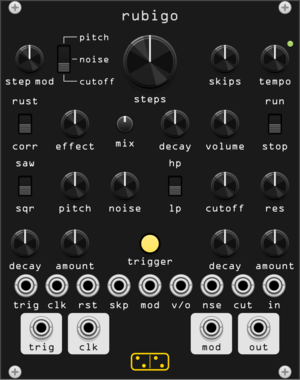
forsitan modulare rubigo
Digital percussion voice with a locking random sequencer. A Metal Fetishist clone.
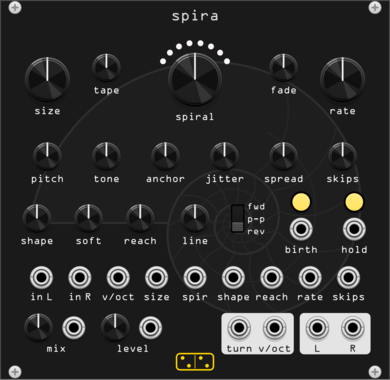
forsitan modulare spira
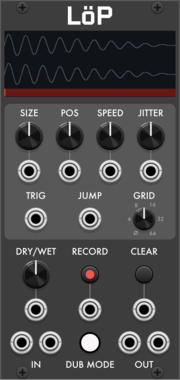
Looper of grains: circles loop off the input and spiral in or out, turn by turn.
VCV Library Instructions
- Download and install VCV Rack.
- Register for a VCV account and log in using Rack’s “Library” menu.
- Add or purchase a module on the VCV Library.
- Open the “Library” menu in Rack, click “Update all” (if updates are needed), and restart Rack once downloaded.
- Right-click an empty rack space to launch Rack’s module browser to add a module to your patch.
All plugins on the VCV Library are available for Windows, Mac, and Linux.
The “major” version (i.e. MAJOR.MINOR.REVISION) must match between Rack and its plugins.
For example, Rack 2.* can only load 2.* plugins.
Missing or incorrect information in this database, such as a missing tag? Inform the plugin author(s) using the contact information on their plugin/module page.
Developers: see Adding your plugin to the VCV Library.
Notes
Purchasing plugins with the “VCV” brand supports the VCV Rack project. See VCV’s Mission Statement to learn how VCV Rack development is funded.
Prices are in US Dollars.
By purchasing a plugin on the VCV Library, you agree to VCV’s End User License Agreement and Refund Policy.
Contact VCV Support for customer support and questions about the VCV Library.