


Venom Bernoulli Switch
Stochastically route two inputs to two outputs, with built in scaling and offset capabilities
AttenuatorControllerLogicPolyphonicRandomSwitchUtilityWaveshaper

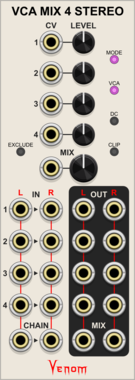
Venom VCA Mix 4 Stereo
Stereo compact audio or CV VCA, mixer, attenuator, inverter, amplifier, and/or offset
AttenuatorMixerPolyphonicRing modulatorUtilityVoltage-controlled amplifier

Venom Quad VC Polarizer
Compact polyphonic bipolar VCA and mixer inspired by Mutable Instruments Blinds
AttenuatorMixerPolyphonicRing modulatorUtilityVoltage-controlled amplifier
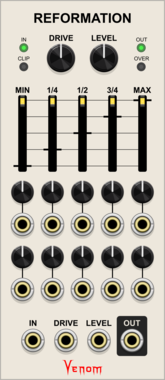
Venom Reformation
Transform CV or audio by mapping way point voltages to new values
DistortionEffectPolyphonicUtilityVoltage-controlled amplifierWaveshaper






Venom HQ - Harmonic Quantizer
Computes a selected harmonic or subharmonic partial relative to a root V/Oct, or quantizes input V/Oct to the nearest partial relative to the root

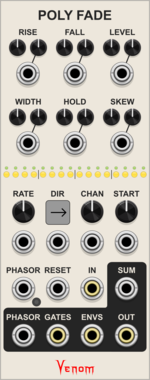
Venom Poly Fade
Cross fade between channels of a polyphonic signal
Envelope generatorLow-frequency oscillatorMixerPolyphonicSequencerSwitch
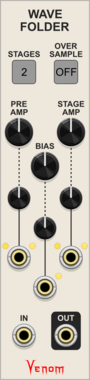
Venom Wave Folder
A polyphonic configurable wave folder
PolyphonicRing modulatorVoltage-controlled amplifierWaveshaper



Venom Auxilliary Clone Expander
Adds additional cloned poly input/output pairs to Clone Merge, Poly Merge, or Poly Unison
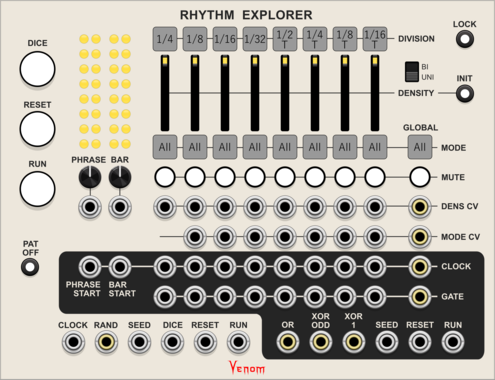


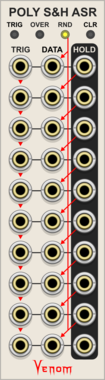
Venom Poly Sample & Hold Analog Shift Register
Ten channel polyphonic sample and hold combined with a shift register

Venom Recurse Stereo
Recursively process mono or stereo input via Send/Return, with built in scaling and offset cababilities

Venom NORSIQ Chord To Scale
Convert a polyphonic chord into CV to generate a scale for the Non-Octave-Repeating Scale Intervallic Quantizer

Venom Shaped VCA
Stereo VCA with a variable response curve, hard/soft clipping, ring modulation, and oversampling
AttenuatorPolyphonicRing modulatorUtilityVoltage-controlled amplifierWaveshaper

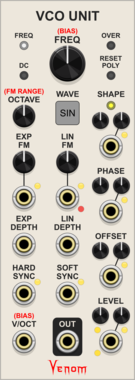
Venom VCO Unit
A smaller version of VCO Lab with only one selectable waveform at a time, and no mixing capabilities
Function generatorLow-frequency oscillatorOscillatorPolyphonic

Venom Widget Menu Extender
Extend context menus to support parameter/port renaming and parameter custom defaults


Venom Poly Unison
Replicate each channel of a polyphonic input with a variable detune spread, and merge the results into a single polyphonic output


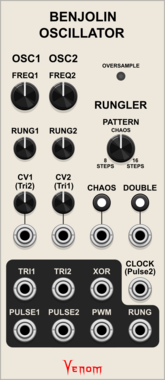
Venom Benjolin Oscillator
Complex chaotic oscillator emulating the oscillator and rungler components of a Benjolin
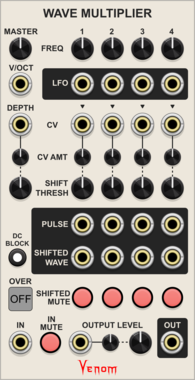
Venom Wave Multiplier
A polyphonic wave shaper inspired by the Doepfer Wave Multiplier 2 with built in LFO modulation
Low-frequency oscillatorPolyphonicRing modulatorVoltage-controlled amplifierWaveshaper
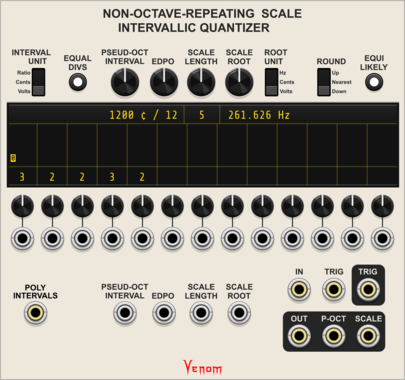
Venom Non-Octave-Repeating Scale Intervallic Quantizer
Quantizer for any scale defined by up to 13 intervals between notes






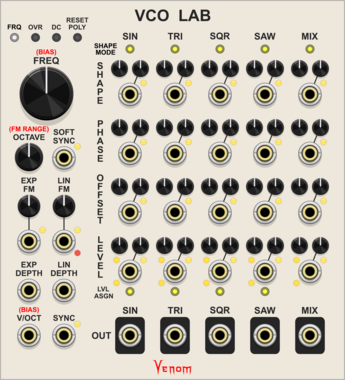
Venom VCO Lab
Audio or low frequency oscillator with 4 simultaneous waveforms, mixing, linear/exponential FM, phase modulation, hard/soft sync, PWM, and more
Function generatorLow-frequency oscillatorOscillatorPolyphonic

Venom VCA Mix 4
Compact audio or CV VCA, mixer, attenuator, inverter, amplifier, and/or offset
AttenuatorMixerPolyphonicRing modulatorUtilityVoltage-controlled amplifier




VCV Library Instructions
- Download and install VCV Rack.
- Register for a VCV account and log in using Rack’s “Library” menu.
- Add or purchase a module on the VCV Library.
- Open the “Library” menu in Rack, click “Update all” (if updates are needed), and restart Rack once downloaded.
- Right-click an empty rack space to launch Rack’s module browser to add a module to your patch.
All plugins on the VCV Library are available for Windows, Mac, and Linux.
The “major” version (i.e. MAJOR.MINOR.REVISION) must match between Rack and its plugins.
For example, Rack 2.* can only load 2.* plugins.
Missing or incorrect information in this database, such as a missing tag? Inform the plugin author(s) using the contact information on their plugin/module page.
Developers: see Adding your plugin to the VCV Library.
Notes
Purchasing plugins with the “VCV” brand supports the VCV Rack project. See VCV’s Mission Statement to learn how VCV Rack development is funded.
Prices are in US Dollars.
By purchasing a plugin on the VCV Library, you agree to VCV’s End User License Agreement and Refund Policy.
Contact VCV Support for customer support and questions about the VCV Library.