stoermelder 4ROUNDS
Randomizer for up to 16 input signals to create 15 output signals. Runs a four-round knockout tournament between inputs on each trigger, randomly picking a winner and routing it to the next round's output.
stoermelder HIVE
4 channel sequencer running on a 2-dimensional hexagonal grid. Up to four playheads wander a hexagonal map of cells, emitting triggers and ratchets as they enter active cells for generative, game-board-inspired sequences.
stoermelder MAZE
4 channel sequencer running on a 2-dimensional grid. Playheads move across a square grid, raising triggers on filled cells and ratcheting randomly on half cells — every run is a unique generative pattern.
stoermelder STRIP
Manage a group of modules by using the expander-mechanism, providing load, save, copy, paste, disable, enable and randomize. Operate on the whole row of modules to the left or right of STRIP, with optional per-parameter randomisation lists.
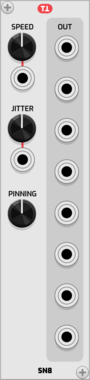
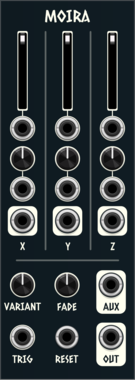
Patchable Devices Digital Chaotic System
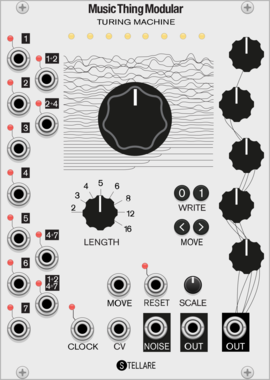
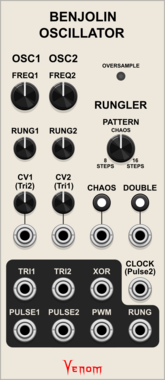
Digital 8-bit Shift Register driven by two independent VCOs
Clock generatorClock modulatorFunction generatorLogicLow-frequency oscillatorNoiseOscillatorRandomSequencerUtility
THEREELPEET Phrasing
Phrasing and presence controller. Shapes rests, repeats, changes, and level-focused dynamics; intended to drive VCAs or Morph 4-style level CV inputs.
Sanguine Monsters Dungeon
Sample and hold, track and hold, hold and track and white noise source with light up faceplate
Sanguine Monsters Fortuna
Pair of polyphonic Bernoulli-like random signal routers with integrated crossfader
Sanguine Monsters Gegenees
1 to 8 switch/sequencer that can avoid consecutive random repeated values; can be one shot, and can be reset to either no step value or the first step
Sanguine Monsters Hydra
8 to 1 switch/sequencer that can avoid consecutive random repeated values; can be one shot, and can be reset to either no step value or the first step
Sanguine Mutants Marmora
Random sampler based on Mutable Instruments' Marbles
Clock generatorClock modulatorDigitalHardware cloneQuantizerRandomSequencer
SignalFunctionSet Arrange
Song-form sequencer: a chain of 8 phrases, each with its own length, key and tempo.
SignalFunctionSet Chance
Generative melodic walk: a seeded core melody that may stray to a neighbour.
SignalFunctionSet Fill
Auto-playing drum sequencer whose pressure builds each bar and vents as a fill.
SignalFunctionSet Vac
Semi-stable A/R envelope with vactrol-like drift that wanders without collapsing.
Stochastic Telegraph Distribute
Tunable random voltage generator, with a large variety of random distributions.
Stochastic Telegraph Drifter
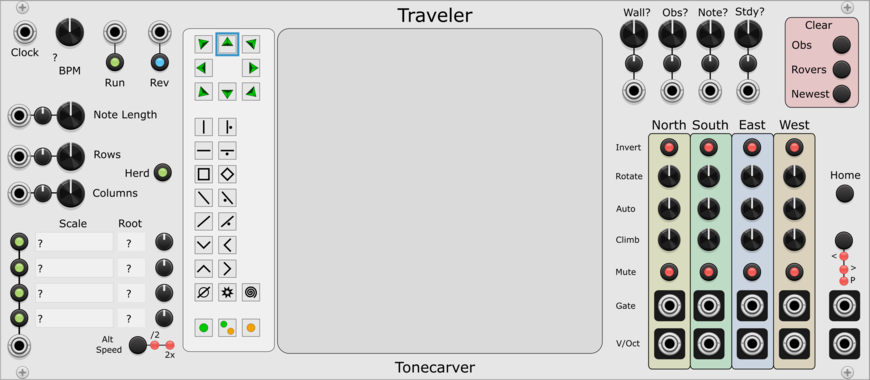
Varying linear function generator. Makes sequences that change in small (or large) ways. A line defined by X/Y points, each doing a random walk.
Studio Six Plus One Bose
Multi output random voltage generator, sample and hold with no input, steady or analog style drooping outputs
Sulamith Button - Trigger/CV Utility
Multi-tool with probability, scaled random cv gen, a<>b switch, constant voltage, 0.2s-10s gate & trig out + text label. Slew&retrig menu options.
Sulamith Sample & Hold
S&H with min, max, channels and probability. #2s settings apply to #3. Probability applies seperately to each poly channel
Shortwav Labs Drift
3HP fluctuating random LFO inspired by source-of-uncertainty circuits, with offset, speed, range, Signal B attenuverting, subtle interference, and occasional voltage slips.
VCV Library Instructions
- Download and install VCV Rack.
- Register for a VCV account and log in using Rack’s “Library” menu.
- Add or purchase a module on the VCV Library.
- Open the “Library” menu in Rack, click “Update all” (if updates are needed), and restart Rack once downloaded.
- Right-click an empty rack space to launch Rack’s module browser to add a module to your patch.
All plugins on the VCV Library are available for Windows, Mac, and Linux.
The “major” version (i.e. MAJOR.MINOR.REVISION) must match between Rack and its plugins.
For example, Rack 2.* can only load 2.* plugins.
Missing or incorrect information in this database, such as a missing tag? Inform the plugin author(s) using the contact information on their plugin/module page.
Developers: see Adding your plugin to the VCV Library.
Notes
Purchasing plugins with the “VCV” brand supports the VCV Rack project. See VCV’s Mission Statement to learn how VCV Rack development is funded.
Prices are in US Dollars.
By purchasing a plugin on the VCV Library, you agree to VCV’s End User License Agreement and Refund Policy.
Contact VCV Support for customer support and questions about the VCV Library.