
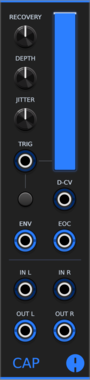
Animatek CAP
Stereo ducking VCA that lowers audio on each trigger and recovers with adjustable depth, timing and natural variation. It also works as a lowpass filter or a vactrol-style low-pass gate that triggers can ping. Pan with CV, a VCA CV input, envelope and end-of-cycle outputs, and CAPs placed side by side chain into a mixer without cables.


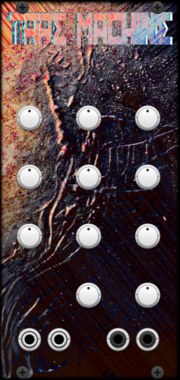
AmbushedCat Tape Machine
A detailed tape emulation module offering saturation, wow & flutter, bias shaping, and vintage tape coloration. Perfect for adding analog warmth and character to your sound.


![Instruō cèis[2]](/screenshots/100/Instruo/ceis2.webp)
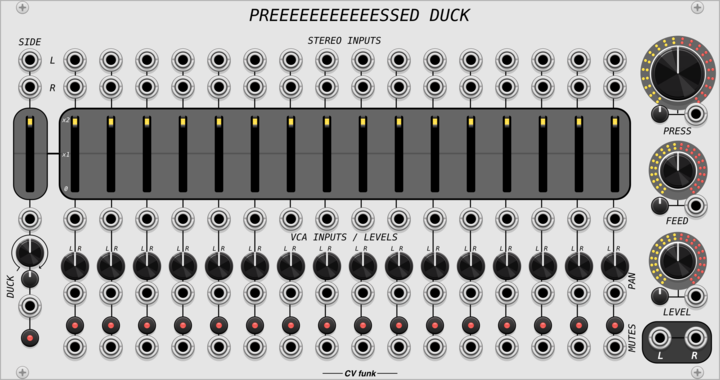
CV funk Preeeeeeeeeeessed Duck
A stereo sixteen-channel dynamic compressing mixer with side-chain ducking, tanh saturation and ADAA.
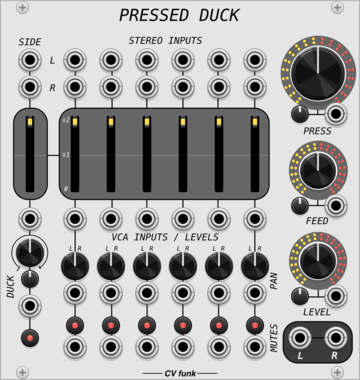
CV funk Pressed Duck
A stereo six-channel dynamic compressing mixer with side-chain ducking, tanh saturation and ADAA.
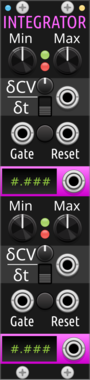
Sparkette's Stuff Dual Integrator
Modulates up to two values over time at variable speed. DMA compatible; try stacking multiple horizontally.




![Instruō tanh[3]](/screenshots/100/Instruo/tanh.webp)


VCV Library Instructions
- Download and install VCV Rack.
- Register for a VCV account and log in using Rack’s “Library” menu.
- Add or purchase a module on the VCV Library.
- Open the “Library” menu in Rack, click “Update all” (if updates are needed), and restart Rack once downloaded.
- Right-click an empty rack space to launch Rack’s module browser to add a module to your patch.
All plugins on the VCV Library are available for Windows, Mac, and Linux.
The “major” version (i.e. MAJOR.MINOR.REVISION) must match between Rack and its plugins.
For example, Rack 2.* can only load 2.* plugins.
Missing or incorrect information in this database, such as a missing tag? Inform the plugin author(s) using the contact information on their plugin/module page.
Developers: see Adding your plugin to the VCV Library.
Notes
Purchasing plugins with the “VCV” brand supports the VCV Rack project. See VCV’s Mission Statement to learn how VCV Rack development is funded.
Prices are in US Dollars.
By purchasing a plugin on the VCV Library, you agree to VCV’s End User License Agreement and Refund Policy.
Contact VCV Support for customer support and questions about the VCV Library.