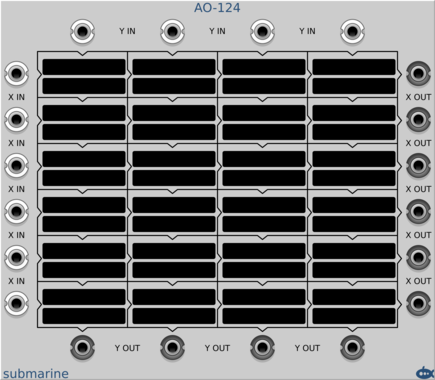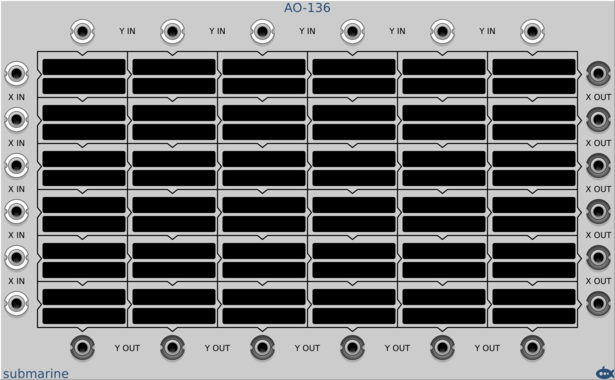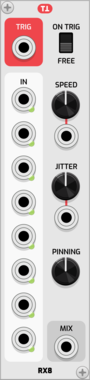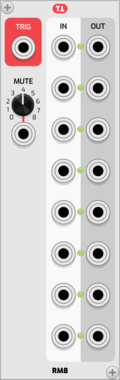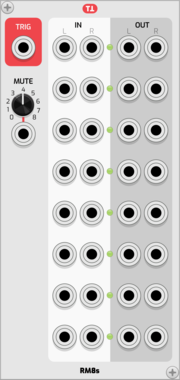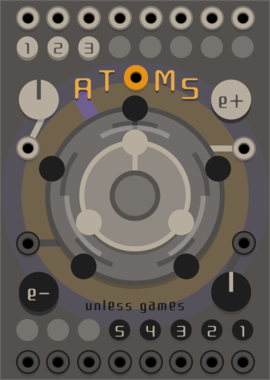
stoermelder INFIX

stoermelder INFIX

Insert for polyphonic cables

UtilityPolyphonic

stoermelder MACRO

stoermelder MACRO

Macro-knob for controlling multiple parameters, with attenuverts and slew-limiting

Utility

stoermelder MB

stoermelder MB

Experimental replacement module browsers for Rack. Brings back the browser from Rack v0.6x and has a modified browser from Rack v1.x with adjustable preview size, favorites, extended filtering options and more.

Utility

stoermelder ME

stoermelder ME

Mouse enhancements

Utility

stoermelder MEM for MIDI-CAT

stoermelder MEM for MIDI-CAT

Memory-expander for MIDI-CAT

UtilityMIDI

stoermelder MIDI-CAT

stoermelder MIDI-CAT

Mapping module for MIDI CCs and notes to parameters of any module, similar to VCV MIDI-MAP

UtilityMIDI

stoermelder MIDI-CAT XL

stoermelder MIDI-CAT XL

Mapping module for MIDI CCs and notes to parameters of any module, similar to VCV MIDI-MAP

UtilityMIDI

stoermelder MIDI-KEY

stoermelder MIDI-KEY

Converts MIDI CC or note messages into keyboard events (preview)

MIDIUtility

stoermelder MIDI-MON

stoermelder MIDI-MON

Monitor for MIDI messages

MIDIUtility

stoermelder MIDI-PLUG

stoermelder MIDI-PLUG

Virtual MIDI merger and splitter

MIDIUtility

stoermelder MIDI-STEP

stoermelder MIDI-STEP

Module for relative modes of endless knobs on your MIDI controller, such as Arturia Beatstep, Native Instruments Komplete Keyboards or Behringer X-TOUCH

UtilityMIDIPolyphonic

stoermelder MIRROR

stoermelder MIRROR

Utility for synchronizing module parameters

Utility

stoermelder PILE

stoermelder PILE

Translate increment triggers or decrement triggers in an absolute voltage, especially useful with MIDI-STEP, with slew support

Utility

stoermelder POLY-PILE

stoermelder POLY-PILE

Translate increment triggers or decrement triggers in an absolute voltage, especially useful with MIDI-STEP, with slew support

UtilityPolyphonic

stoermelder ReMOVE Lite

stoermelder ReMOVE Lite

Recorder for parameter automation

UtilityRecordingController

stoermelder ROTOR Model A

stoermelder ROTOR Model A

Rotates a signal across polyphonic channels

UtilityPolyphonic

stoermelder SAIL

stoermelder SAIL

Control any parameter currently hovered by mouse with CV, especially useful with MIDI-CC or MIDI-STEP

Utility

stoermelder SIPO

stoermelder SIPO

Serial-in parallel-out shift register with polyphonic output and CV controls for skipping and incrementing on sampled values

UtilitySample and holdDigitalPolyphonic

stoermelder SPIN

stoermelder SPIN

Utility for converting mouse-wheel movement into triggers, also handles middle-click of mouse, useful for SAIL

Utility

stoermelder STRIP

stoermelder STRIP

Manage a group of modules by using the expander-mechanism, providing load, save, copy, paste, disable, enable and randomize

UtilityControllerRandom

stoermelder STRIP-BAY

stoermelder STRIP-BAY

Utility module for STRIP keeping inputs/outputs connected

Utility

stoermelder STRIP++

stoermelder STRIP++

Adds hotkeys for pasting and importing selections while preserving parameter mappings

Utility

stoermelder STROKE

stoermelder STROKE

Utility for converting hotkeys to triggers, gates and some other special commands

UtilityPolyphonic

stoermelder TRANSIT

stoermelder TRANSIT

Parameter-morpher and sequencer for up to 96 snapshots

UtilitySequencer

stoermelder X4

stoermelder X4

Dual multiple for parameter-mapping

Utility

stoermelder µAFFIX

stoermelder µAFFIX

Insert for polyphonic cables for adding offsets in Volt, semitones or octaves (8 channels)

PolyphonicUtilityAttenuator

stoermelder µINFIX

stoermelder µINFIX

Insert for polyphonic cables

UtilityPolyphonic

stoermelder µMAP

stoermelder µMAP

Add CV automation to one parameter of any module

UtilityController

Patchable Devices Comparing Counter

Patchable Devices Comparing Counter

Pulse counter / frequency divider with advanced comparator input

Clock generatorClock modulatorOscillatorUtilityWaveshaper

PdArray Miniramp

PdArray Miniramp

Generate a ramp from 0V to 10V with a given duration

Envelope generatorUtilityPolyphonic

PdArray Ministep

PdArray Ministep

Use triggers to step voltages from 0V to 10V in a given number of steps

UtilityPolyphonic

Plurm simplerouter

Plurm simplerouter

a rpre/post-processing switch

SwitchUtilityPolyphonic

4ms 70sComp

4ms 70sComp

LA2A inspired optical compressor

UtilityEffectDynamics

4ms 70sEQ

4ms 70sEQ

Neve 1073 inspired stereo EQ

UtilityEqualizerEqualizerEffect

4ms AuxSends

4ms AuxSends

3 sets of stereo auxillary sends and returns with CV control

UtilityMixerEffect

4ms Boost

4ms Boost

Stereo gain + distortion module

DynamicsUtilityEffectDistortion

4ms DrumBus

4ms DrumBus

8 channel mono to stereo mixer with mute per channel

MixerDrumUtility

4ms Spatializer

4ms Spatializer

Exploitation of the Haas effect + mid/side processing techniques

UtilityEffect

4ms StereoCrossfader

4ms StereoCrossfader

Crossfade between two stereo audio sources

Utility

4ms StereoWidth

4ms StereoWidth

Shrink or expand the stereo image of a stereo track

Utility

Questionable Dinner A Saw B

Questionable Dinner A Saw B

Compare, split, subtract and mangle two inputs. Now polyphonic!

LogicUtilityPolyphonic

Questionable Modules Discombobulator

Questionable Modules Discombobulator

Randomly switches inputs and outputs

RandomUtilitySwitchPolyphonic

Questionable Modules Greenscreen

Questionable Modules Greenscreen

Changes the rack background color

Utility

Questionable Modules Nandomizer

Questionable Modules Nandomizer

Randomly switches inputs

RandomUtilitySwitchPolyphonic

Questionable Modules Night-bin

Questionable Modules Night-bin

Grab nightly builds of your favorite plugins

Utility

Questionable Modules Smute

Questionable Modules Smute

Mute buttons synced to the clock

UtilitySwitchPolyphonicExpander


VCV Library Instructions

  • Download and install VCV Rack.
  • Register for a VCV account and log in using Rack’s “Library” menu.
  • Add or purchase a module on the VCV Library.
  • Open the “Library” menu in Rack, click “Update all” (if updates are needed), and restart Rack once downloaded.
  • Right-click an empty rack space to launch Rack’s module browser to add a module to your patch.

All plugins on the VCV Library are available for Windows, Mac, and Linux. The “major” version (i.e. MAJOR.MINOR.REVISION) must match between Rack and its plugins. For example, Rack 2.* can only load 2.* plugins.

Missing or incorrect information in this database, such as a missing tag? Inform the plugin author(s) using the contact information on their plugin/module page.

Developers: see Adding your plugin to the VCV Library.

Notes

Purchasing plugins with the “VCV” brand supports the VCV Rack project. See VCV’s Mission Statement to learn how VCV Rack development is funded.

Prices are in US Dollars.

By purchasing a plugin on the VCV Library, you agree to VCV’s End User License Agreement and Refund Policy.

Contact VCV Support for customer support and questions about the VCV Library.