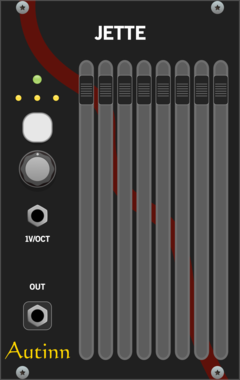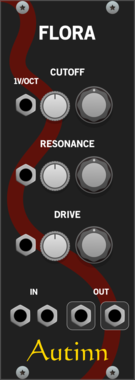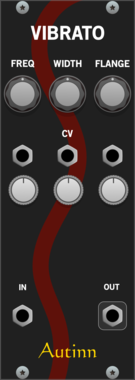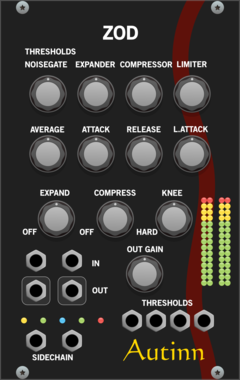
cf Algebra

cf Algebra

2 signals math

Utility

cf Funktion

cf Funktion

1 signal math

Utility

cf Choke

cf Choke

hi hat style choker

Utility

cf Four

cf Four

4 x solo/mute

Utility

cf Steps

cf Steps

quantiser

Utility

cf Peak

cf Peak

limiter

Limiter

cf Cuts

cf Cuts

dirty HP & LP filters

Filter

cf Buffer

cf Buffer

dirty delay buffer/filter

Delay

cf Disto

cf Disto

dirty distortion

Distortion

cf Cube

cf Cube

weird lfo

Low-frequency oscillator

cf Patch

cf Patch

patch bay

Utility

cf Dave

cf Dave

blank panel

Blank

stoermelder BOLT

stoermelder BOLT

Polyphonic logic boolean functions with modulation and sample & hold. Selectable AND, OR, XOR, NAND, NOR and more across up to 16 polyphonic channels, with CV-controlled function selection and a trigger input for sample & hold behaviour.

UtilityLogicPolyphonicSample and hold

stoermelder ReMOVE Lite

stoermelder ReMOVE Lite

Recorder for parameter automation. Captures movements of any module parameter into up to eight monophonic sequences with touch, replace, overwrite and latch modes, plus CV-controlled playback phase.

UtilityRecordingController

stoermelder µMAP

stoermelder µMAP

Add CV automation to one parameter of any module. A focused single-slot version of CV-MAP for adding one CV input where the module has none, with optional polyphonic input support.

UtilityController

Frank Buss Shaker

Frank Buss Shaker

Shake your Rack

Visual

DHE Modules Gator

DHE Modules Gator

Computes eight common logic functions for up to 16 inputs

Logic

Holonic Systems Gaps

Holonic Systems Gaps

Clock divider with multiple modes

Clock modulator

Holonic Systems Pantry

Holonic Systems Pantry

Dual CV/Gate Recorder/Looper

SequencerRecording

Holonic Systems Dumbwaiter

Holonic Systems Dumbwaiter

8 step sequencer and switch. One could see it as a A-155 / A-154 / A-152 merged into one module

SequencerAttenuatorSwitch

Holonic Systems Holonic Source

Holonic Systems Holonic Source

Integrates with the Holon.ist iOS app and outputs CV control signals to VCV Rack

ControllerExternal

Holonic Systems Junctions

Holonic Systems Junctions

A simple dual switch. Two inputs, one output

SwitchDual

Holonic Systems Lazy Susan

Holonic Systems Lazy Susan

Quad Quantiser with user editable scales

QuantizerQuad

dBiz Transpose

dBiz Transpose

Utility

dBiz Utility

dBiz Utility

Utility

dBiz Chord

dBiz Chord

Quantizer

dBiz Bene

dBiz Bene

Sequencer

dBiz BenePads

dBiz BenePads

Utility

dBiz Verbo

dBiz Verbo

Oscillator

dBiz DVCO

dBiz DVCO

Oscillator

dBiz DAOSC

dBiz DAOSC

Oscillator

dBiz TROSC

dBiz TROSC

Oscillator

dBiz SuHa

dBiz SuHa

Oscillator

dBiz FourSeq

dBiz FourSeq

Sequencer

dBiz Divider

dBiz Divider

Utility

dBiz Util2

dBiz Util2

Utility

dBiz Smorph

dBiz Smorph

Sequencer

Valley Topograph

Valley Topograph

Topographic drum machine. This module is based on the original Mutable Instruments (TM) Grids sequencer module. The Map and Density controls explore and control the denisty of many pre-baked drum patterns.

Sequencer

Valley uGraph

Valley uGraph

Topographic drum machine. This module is based on the original Mutable Instruments (TM) Grids sequencer module. The Map and Density controls explore and control the denisty of many pre-baked drum patterns.

Sequencer

Valley Dexter

Valley Dexter

A multi-timbral, 4-operator FM oscillator with wavetable and waveshaping capabilities.

Oscillator

Valley Plateau

Valley Plateau

Lush and bendable plate reverb based on the Dattorro 1997 algorithm.

ReverbEffectPolyphonic

Valley Interzone

Valley Interzone

Polyphonic, virtual analogue synthesiser voice complete with a VCO, mixer, filter, LFO, and envelope generator.

Synth voicePolyphonic

Valley Amalgam

Valley Amalgam

Multi-mode stereo signal combiner. Amalgam lets you combine and smash together signals in many different ways.

Ring modulatorEffectWaveshaper


VCV Library Instructions

  • Download and install VCV Rack.
  • Register for a VCV account and log in using Rack’s “Library” menu.
  • Add or purchase a module on the VCV Library.
  • Open the “Library” menu in Rack, click “Update all” (if updates are needed), and restart Rack once downloaded.
  • Right-click an empty rack space to launch Rack’s module browser to add a module to your patch.

All plugins on the VCV Library are available for Windows, Mac, and Linux. The “major” version (i.e. MAJOR.MINOR.REVISION) must match between Rack and its plugins. For example, Rack 2.* can only load 2.* plugins.

Missing or incorrect information in this database, such as a missing tag? Inform the plugin author(s) using the contact information on their plugin/module page.

Developers: see Adding your plugin to the VCV Library.

Notes

Purchasing plugins with the “VCV” brand supports the VCV Rack project. See VCV’s Mission Statement to learn how VCV Rack development is funded.

Prices are in US Dollars.

By purchasing a plugin on the VCV Library, you agree to VCV’s End User License Agreement and Refund Policy.

Contact VCV Support for customer support and questions about the VCV Library.