
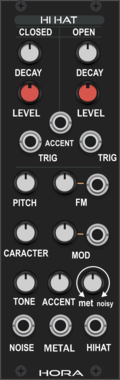
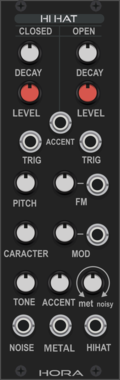
Hora Hi-Hat Vult

Analog HiHat using vult made filter model (use the other clap module for better CPU load and more realisitic claps)
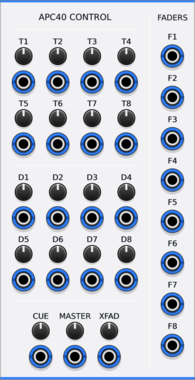
Animatek APC40 CTRL
Turns the knobs and faders of an Akai APC40 into CV outputs for hands-on control of a Rack patch.

![4ms Mini Pingable Envelope Generator [MPEG]](/screenshots/100/4msCompany/MPEG.webp)


stoermelder ME
Mouse enhancements. Provides a screen overlay and circular magnifier loupe for fine parameter tweaks, and globalises overlay settings used by other stoermelder modules like MIDI-CAT and SAIL.

stoermelder X4
Dual multiple for parameter-mapping. Maps four separate knobs to a single parameter, useful for driving the same target from MIDI-CAT and CV-MAP simultaneously or for multi-controller setups.
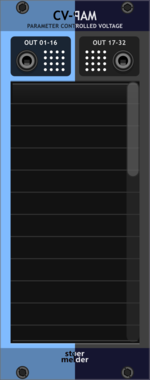
stoermelder CV-PAM
Generate CV from any parameter change of any module. Attaches to up to 32 parameters and outputs a CV signal whenever they change, perfect for mirroring knob motion to other modules or to MIDI-CAT.

stoermelder STRIP++
Adds hotkeys for pasting and importing selections while preserving parameter mappings. Previews the selection on the cursor, then commits it with a click — perfect for reusing patches with MIDI-CAT, CV-MAP and GLUE intact.
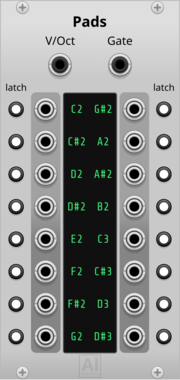
Aluminium Pads
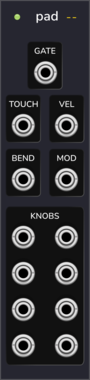
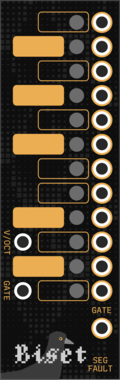
16 gate outputs, one per learned note, driven by a polyphonic V/OCT + GATE cable (e.g. from Core MIDI-CV or Zones) instead of MIDI — learn a cell by clicking it and playing (or typing) the note; each cell can be switched to Latch mode to toggle on/off instead of following the held note

stoermelder GOTO
Utility for jumping directly to 10 locations in your patch by hotkey or using MIDI. Each jump point is bound to a module or selection and also recalls the saved zoom level, so you can return to the exact view you left.
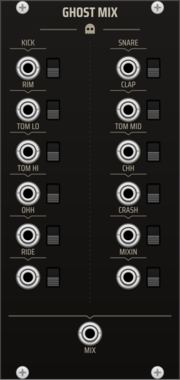
TNN1T1S GHOST MIX
Dedicated summing mixer for the Ghost drum kit. Twelve labeled inputs -- one per voice of the full kit (Kick, Snare, Rim, Clap, Tom Lo/Mid/Hi, Closed Hat, Open Hat, Crash, Ride) plus a MIXIN channel (the 909's external mix-in) -- each with a mute switch, summed to one MIX output. Per-voice level lives on the voices, so the mixer is a clean unity summer -- the whole kit on one master mix point, in the box.
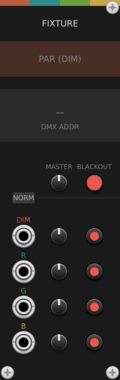
factionoptions DMX Fixture
4-channel CV-to-DMX patch bay for a DMX Hub - typically used for one RGBA or RGBW lighting fixture like a PAR can, LED panel, or moving head. CV inputs drive consecutive DMX channels with per-channel level and mute. Chain multiple fixtures to the right of the Hub to address larger lighting rigs.
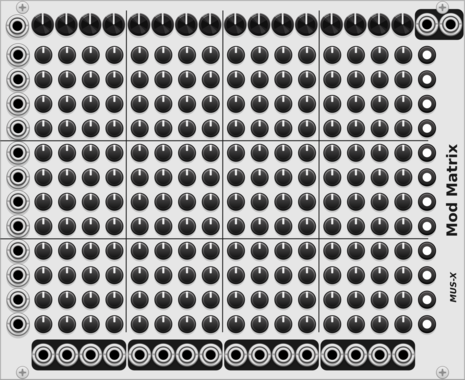

factionoptions Resonance Monitor
Diagnostic display for a Resonance Hub. Place to the left of a Hub to see live connection state, connected peers, latency, signaling status, and CV/MIDI data flow rates. Useful for troubleshooting collaboration sessions.
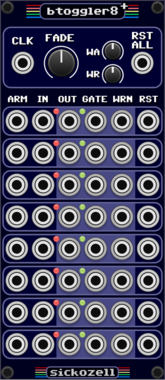
Sickozell bToggler8+
8 buffered toggle switch router, plus warnings to use with led midi controllers
factionoptions Resonance Hub
Connect your patch to other VCV Rack users over the internet for real-time collaboration. Handles authentication, room joining, and peer-to-peer WebRTC connections. Pair with CV Peer expanders to send and receive CV/MIDI with collaborators anywhere in the world. When a remote peer joins, the Hub adds a CV Peer expander to the right automatically, so you don't have to add one per collaborator by hand. On first use, your OS may prompt to allow Rack through the firewall.

stoermelder SAIL
Control any parameter currently hovered by mouse with CV, especially useful with MIDI-CC or MIDI-STEP. Offers differential and absolute input modes, increment/decrement triggers, and a fine-control modifier for precise edits.
VCV Library Instructions
- Download and install VCV Rack.
- Register for a VCV account and log in using Rack’s “Library” menu.
- Add or purchase a module on the VCV Library.
- Open the “Library” menu in Rack, click “Update all” (if updates are needed), and restart Rack once downloaded.
- Right-click an empty rack space to launch Rack’s module browser to add a module to your patch.
All plugins on the VCV Library are available for Windows, Mac, and Linux.
The “major” version (i.e. MAJOR.MINOR.REVISION) must match between Rack and its plugins.
For example, Rack 2.* can only load 2.* plugins.
Missing or incorrect information in this database, such as a missing tag? Inform the plugin author(s) using the contact information on their plugin/module page.
Developers: see Adding your plugin to the VCV Library.
Notes
Purchasing plugins with the “VCV” brand supports the VCV Rack project. See VCV’s Mission Statement to learn how VCV Rack development is funded.
Prices are in US Dollars.
By purchasing a plugin on the VCV Library, you agree to VCV’s End User License Agreement and Refund Policy.
Contact VCV Support for customer support and questions about the VCV Library.