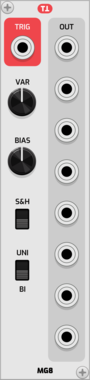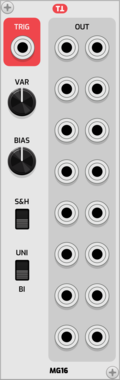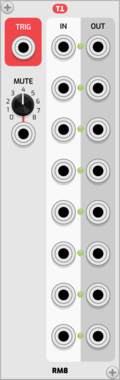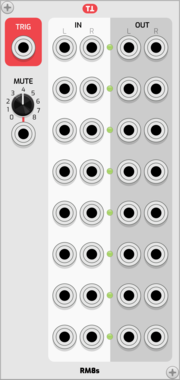

cf trSeq

cf trSeq

sequencer with per step inputs

Sequencer

cf ledSeq

cf ledSeq

5x16 triggers sequencer

Sequencer

cf l3dS3q

cf l3dS3q

5x16 triggers sequencer

Sequencer

cf SliderSeq

cf SliderSeq

16 CVs sequencer

Sequencer

cf Player

cf Player

Sample player

Sampler

cf Play

cf Play

Mini sample player

Sampler

cf Mono

cf Mono

Modular mixer Mono Channel

Mixer

cf Stereo

cf Stereo

Modular mixer Stereo Channel

Mixer

cf Sub

cf Sub

Modular mixer Sends

Mixer

cf Master

cf Master

Modular mixer Master

Mixer

cf Variable

cf Variable

Sample & Hold

Utility

cf Algebra

cf Algebra

2 signals math

Utility

cf Funktion

cf Funktion

1 signal math

Utility

cf Choke

cf Choke

hi hat style choker

Utility

cf Four

cf Four

4 x solo/mute

Utility

cf Steps

cf Steps

quantiser

Utility

cf Peak

cf Peak

limiter

Limiter

cf Cuts

cf Cuts

dirty HP & LP filters

Filter

cf Buffer

cf Buffer

dirty delay buffer/filter

Delay

cf Disto

cf Disto

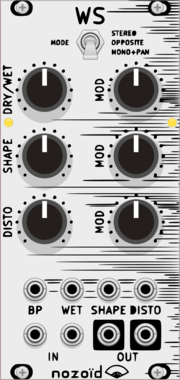
dirty distortion

Distortion

cf Cube

cf Cube

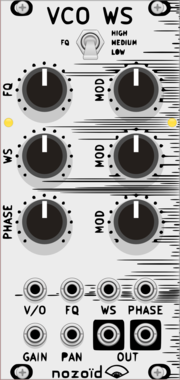
weird lfo

Low-frequency oscillator

cf Patch

cf Patch

patch bay

Utility

cf Dave

cf Dave

blank panel

Blank

Ohmer Modules QuadPercs

Ohmer Modules QuadPercs

Quad-channel drum machines

DrumQuad

stoermelder BOLT

stoermelder BOLT

Polyphonic logic boolean functions with modulation and sample & hold. Selectable AND, OR, XOR, NAND, NOR and more across up to 16 polyphonic channels, with CV-controlled function selection and a trigger input for sample & hold behaviour.

UtilityLogicPolyphonicSample and hold

stoermelder ReMOVE Lite

stoermelder ReMOVE Lite

Recorder for parameter automation. Captures movements of any module parameter into up to eight monophonic sequences with touch, replace, overwrite and latch modes, plus CV-controlled playback phase.

UtilityRecordingController

stoermelder µMAP

stoermelder µMAP

Add CV automation to one parameter of any module. A focused single-slot version of CV-MAP for adding one CV input where the module has none, with optional polyphonic input support.

UtilityController

Frank Buss Shaker

Frank Buss Shaker

Shake your Rack

Visual

Autodafe Drums - Kick

Autodafe Drums - Kick

Sampled Kick module with different samples of vintage Drum Machines

Drum

Autodafe Drums - Snare

Autodafe Drums - Snare

Sampled Snare module with different samples of vintage Drum Machines

Drum

Autodafe Drums - Closed Hats

Autodafe Drums - Closed Hats

Sampled Closed Hi-Hats module with different samples of vintage Drum Machines

Drum

Autodafe Drums - HiHat Open

Autodafe Drums - HiHat Open

Sampled Open Hi-Hats module with different samples of vintage Drum Machines

Drum

Autodafe Drums - Claps

Autodafe Drums - Claps

Sampled Claps module with different samples of vintage Drum Machines

Drum

Autodafe Drums - Rim/Claves

Autodafe Drums - Rim/Claves

Sampled Rim/Claves module with different samples of vintage Drum Machines

Drum

Autodafe Drums - Cymbals

Autodafe Drums - Cymbals

Sampled Cymbals module with different samples of vintage Drum Machines

Drum

Autodafe Drums - Ride

Autodafe Drums - Ride

Sampled Ride module with different samples of vintage Drum Machines

Drum

Autodafe Drums - Mixer

Autodafe Drums - Mixer

8-Channel Mixer Module with CV Controls

Mixer

Autodafe Bit Crusher

Autodafe Bit Crusher

A BitCrusher/Reducer distortion effect

EffectDistortion

Autodafe Multiple 1x8

Autodafe Multiple 1x8

A simple 1x8 Multiple

Multiple

Autodafe Multiple 2x8

Autodafe Multiple 2x8

A simple 2x8 Multiple

Multiple

Autodafe LFO

Autodafe LFO

Basic LFO with different shapes

Low-frequency oscillator

Autodafe Keyboard

Autodafe Keyboard

A handy Keyboard with CV/Gate outputs

Controller

Autodafe BPM Clock

Autodafe BPM Clock

A Clock Generator with BPM sync

Clock generator

Autodafe Clock Divider

Autodafe Clock Divider

Clock Divider and Multiplier

Clock modulator

Autodafe Fixed Filter

Autodafe Fixed Filter

A Fixed Filter Bank

Filter

Autodafe MultiMode Filter

Autodafe MultiMode Filter

MultiMode Filter with LP, HP, BP and Notch Filter modes

Filter

Autodafe Formant Filter

Autodafe Formant Filter

A nice-sounding Formant Filter

Filter

Autodafe FoldBack Distortion

Autodafe FoldBack Distortion

Simple FoldBack Distortion module

Distortion

Autodafe Phaser

Autodafe Phaser

A simple Phaser Effect

Phaser

Autodafe Chorus

Autodafe Chorus

A simple Chorus Effect

Chorus


VCV Library Instructions

  • Download and install VCV Rack.
  • Register for a VCV account and log in using Rack’s “Library” menu.
  • Add or purchase a module on the VCV Library.
  • Open the “Library” menu in Rack, click “Update all” (if updates are needed), and restart Rack once downloaded.
  • Right-click an empty rack space to launch Rack’s module browser to add a module to your patch.

All plugins on the VCV Library are available for Windows, Mac, and Linux. The “major” version (i.e. MAJOR.MINOR.REVISION) must match between Rack and its plugins. For example, Rack 2.* can only load 2.* plugins.

Missing or incorrect information in this database, such as a missing tag? Inform the plugin author(s) using the contact information on their plugin/module page.

Developers: see Adding your plugin to the VCV Library.

Notes

Purchasing plugins with the “VCV” brand supports the VCV Rack project. See VCV’s Mission Statement to learn how VCV Rack development is funded.

Prices are in US Dollars.

By purchasing a plugin on the VCV Library, you agree to VCV’s End User License Agreement and Refund Policy.

Contact VCV Support for customer support and questions about the VCV Library.